I wanted it to feel full
When the site first went up it had like a handful of tools and looked kinda empty, so pretty much if it was useful or even kinda niche I added it.
Honestly I was just fluffing the site out at that point, the more tools the better. Bigger number is nice. I also hate digging for stuff on other sites so if I can make it it goes on here, or if I find open source stuff that I think is cool or useful for me that goes on here too.
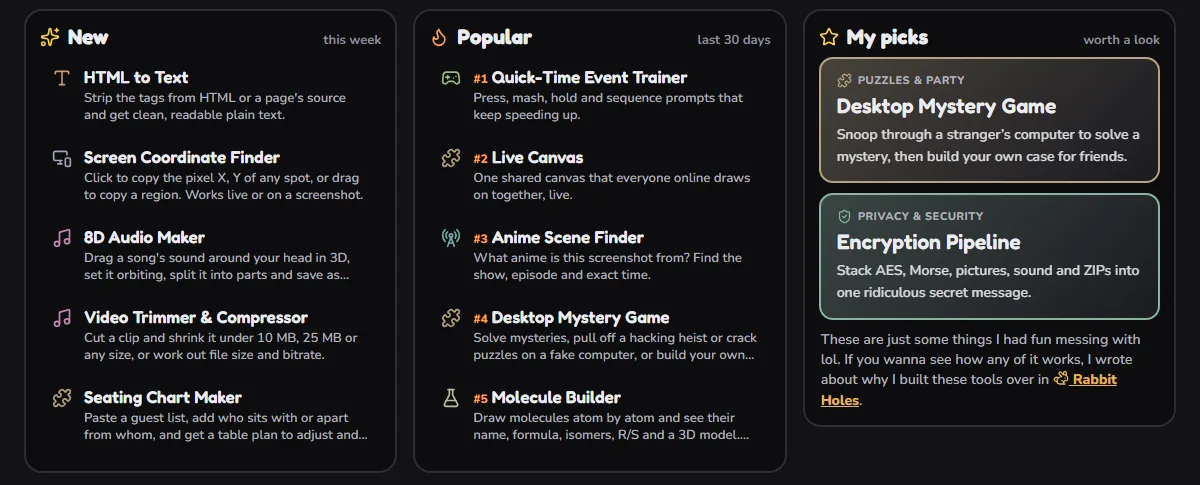 The homepage now
Way less empty now. The New, Popular and My picks shelves all fill in from the tool list on their own.
The 250 goal
Then I gave myself an actual goal of 250 tools and 250 batch scripts. I'd go down my idea list and do the cooler ones first and then the boring useful ones.
The barcode maker's on here cause I make tiny barcodes for work all the time, and Black Screen's on here cause I throw it on my second monitor when I'm watching a movie. I use em a lot so they're on here.
Then I kinda dropped the batch scripts
Batch scripts were supposed to be half of that 250 and 250. I did like 62 of them in one day lol, shutdown timers, temp cleanup, network reset, backups, all the stuff I used to do by hand on Windows.
But making random browser tools was way more fun than another cleanup script so I kinda stopped doing them. So now it's 69 batch scripts and almost 400 tools and the 250 batch goal is just kinda sitting there.
Watch the pile grow
Drag through the days. The tools keep going and the batch scripts pretty much stop after Oct 28. Idk if I'll keep updating this part so it's prolly not up to date.
The site goes on GitHub and goes live today, so everything from the first 3 days gets this date. That's the big jump lol, it's not 154 in one day.
Most tools are just one page with no libraries, but a few use open source stuff so I'm not remaking something that already exists. The PDF tools use pdf-lib and Mozilla's pdf.js, Marble Run uses the matter-js physics engine, the QR reader uses jsQR, the STL viewer uses three.js and the video trimmer uses Mediabunny.
The live data tools pull from free public APIs too, which is a big part of why Oct 31 jumps like that.
How a batch script page works
None of them are just a .bat file sitting on a server. Each page has a little form for stuff like how long or which folder, and the page writes the .bat in your browser from whatever you picked, then you download it and double click it.
All 69 come out of one python file where each script is one entry with its fields, a little function that writes the lines, the how to steps and the FAQs, and running it once builds every page.
@echo off
title Shutdown timer
rem Made with localscriptbox.com
shutdown /s /t 14400 /c "Scheduled shutdown from a timer script. Run shutdown /a to cancel."
if errorlevel 1 (
  echo Could not schedule it. Another shutdown may already be scheduled: run shutdown /a first.
  pause
  exit /b 1
)
echo The PC will shut down in 4 hours.
echo To cancel: press Win+R, type  shutdown /a  and press Enter.
echo You can close this window.
pause
/t 14400 is just 4 hours in seconds. Windows only lets you have one shutdown scheduled at a time, so if there's already one waiting it tells you to cancel it first instead of just failing and not saying anything.
Downloading some random .bat off a website is kinda sketchy ngl, so every script page shows you the whole thing before you download it plus what each command does.
There's also a part on making one yourself, you paste it in Notepad and save it as name.bat, just make sure Windows didn't secretly save it as name.bat.txt cause then it just opens as text.
Trying not to repeat stuff
Once you've got a couple hundred tools it's really easy to make the same thing twice with a different name, and I did, there were two reaction time tests that basically worked the same. So now I check the list before I make anything.
Honestly there's still lots of tools that are basically the same thing just framed a different way but eh we ball lol.
How a tool gets added
Every tool is its own page with its own description and examples so it can show up in search by itself, and then there's one list file with every tool in it. That one list builds the homepage, the New shelf, the category pages and the sitemap, so adding a tool is just making the page and adding a line.
{ slug: 'barcode-generator', name: 'Barcode Generator', added: '2026-10-27', cat: 'pdf',
  desc: "Make Code 128 and Code 39 barcodes to print as a sheet or download." },
That added date is also what gives it the New tag for a week.
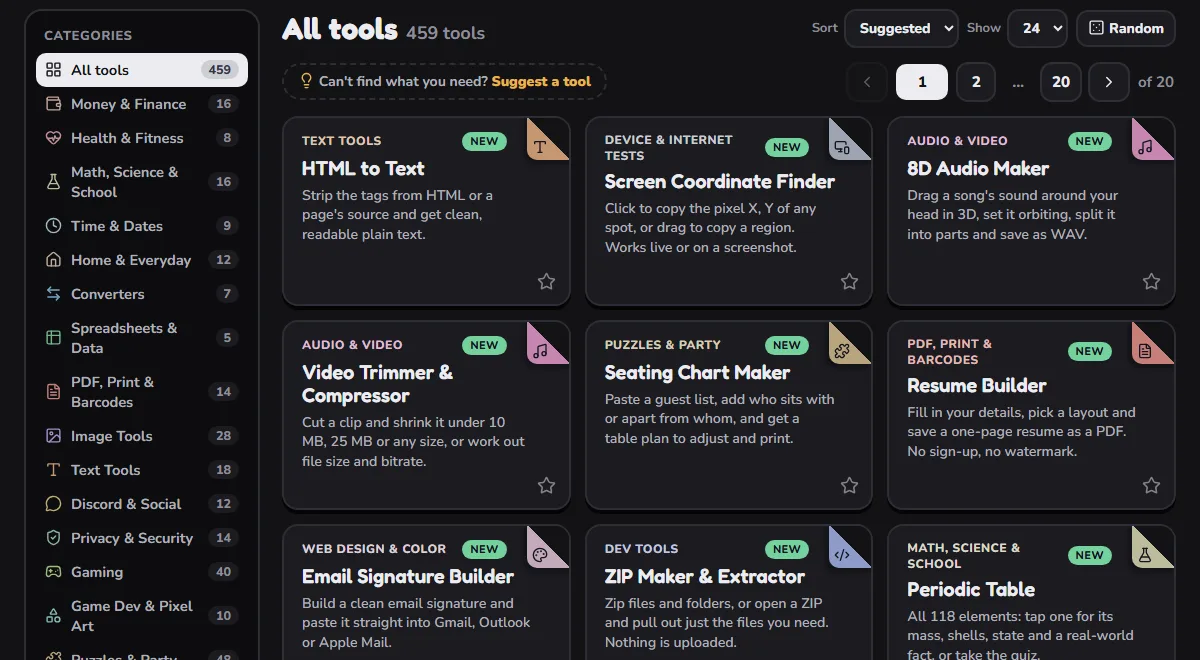 Where all those lines end up
The whole All tools grid with the categories and counts comes from that same list too.
Where it went too far
I also made a bunch of pages from templates, every unit conversion pair, every compress to X KB, every game sensitivity pair. Google did not like 100+ pages that are like 90% the same text, so those got hidden from search (they're still on the site) and I stopped making them.
<meta name="robots" content="noindex, follow">It's one line at the top of each of those pages that tells Google to skip it but still follow the links on it, and a script took them out of the sitemap too.